

Documentation Index
Fetch the complete documentation index at: https://nova.dweet.com/docs/llms.txt
Use this file to discover all available pages before exploring further.
Start your free trial
Book a call to get your Nova account set up.
How Nova Works in Teamtailor
Setting Up the Integration
ATS User Settings
By default, Nova uses your first admin user. For clearer attribution, create a dedicated “Nova” user in Teamtailor and select it via ATS Settings on your Jobs page. Complete ATS User Settings GuideHow Scores Appear in Teamtailor
Scores appear as a partner result on the candidate’s profile with a summary view and detailed analysis.
Candidate Card Display
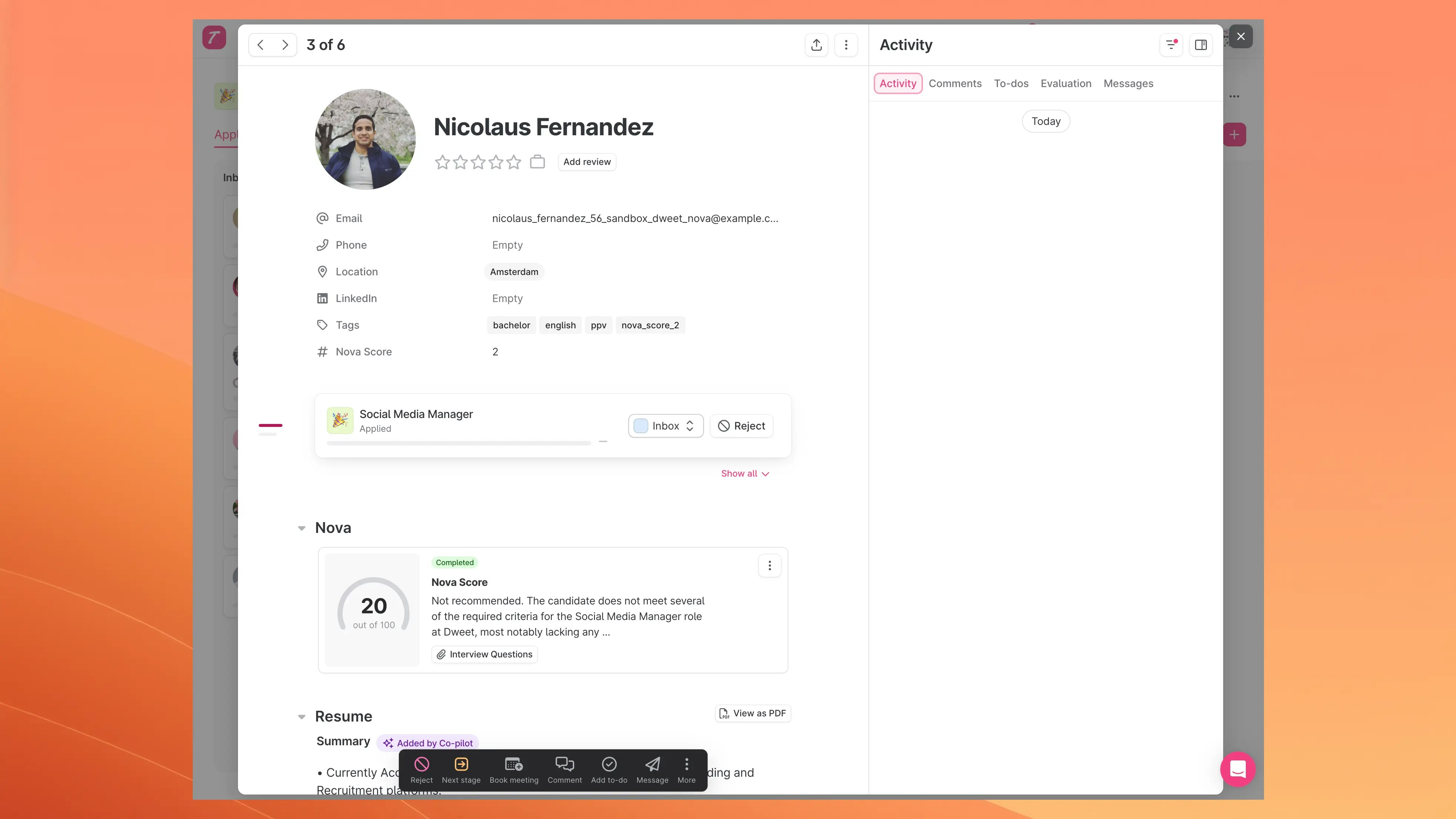
- Nova Score: overall score out of 100
- Status: completion status
- Summary: brief assessment
- Interview Questions: Nova-generated questions (see Nova AI Screening)
Interview questions require a separate feature flag. Contact nova@dweet.com to enable.
Detailed Scoring View
Click the Nova result to open the full analysis: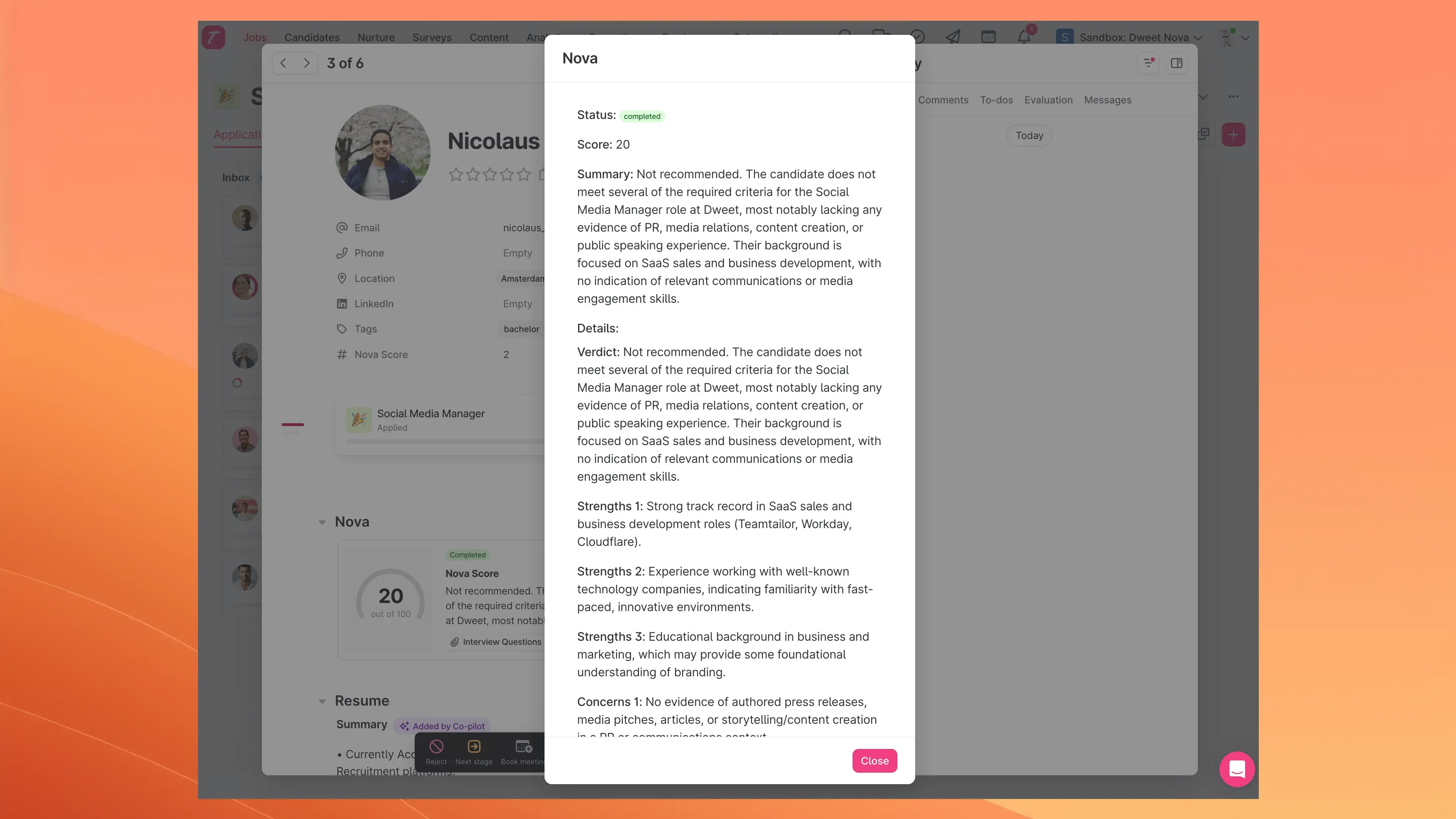
Filtering Candidates by Nova Score
Use the Nova Score filter in your candidate list to set a score range threshold.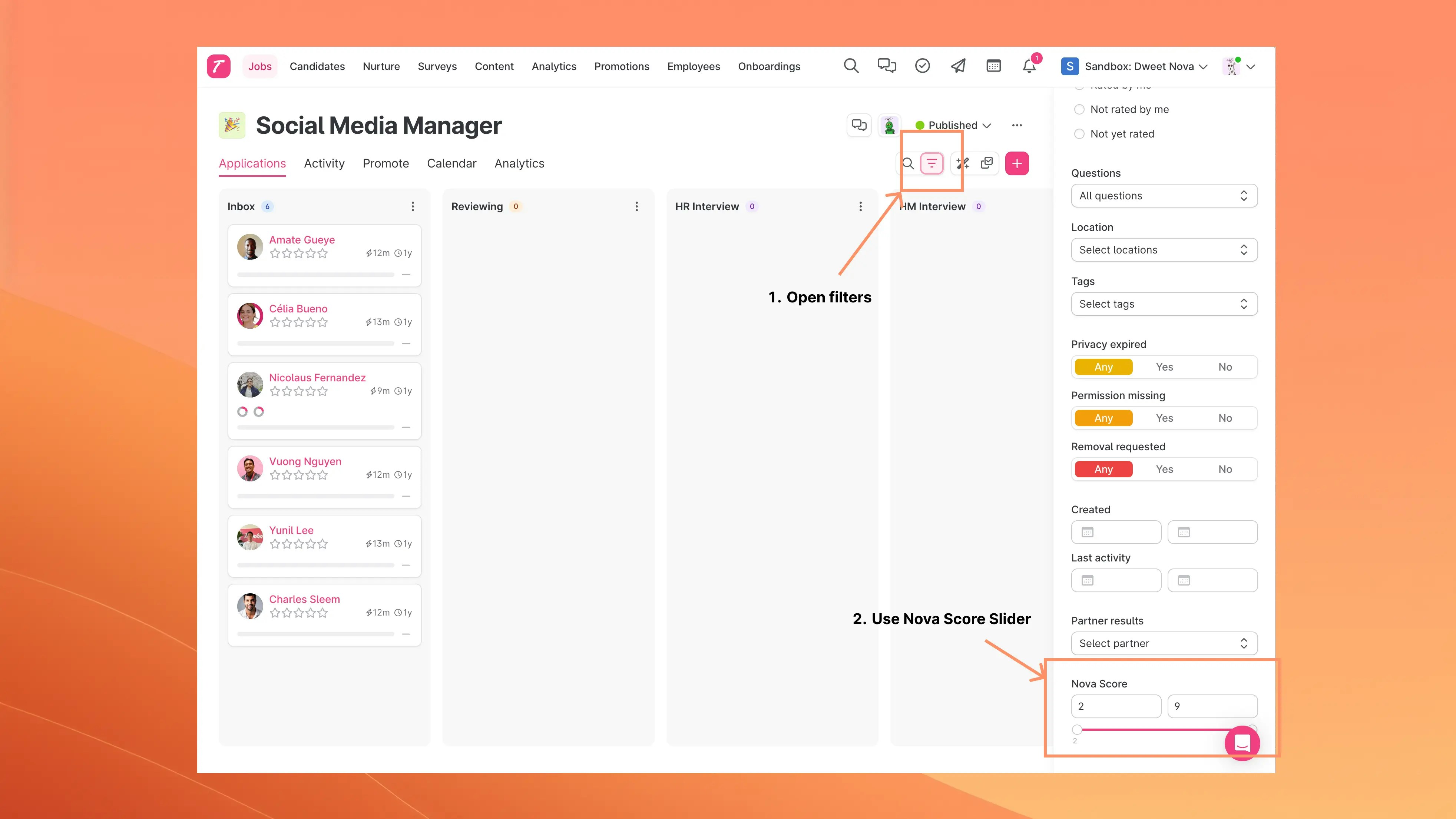
LinkedIn Profile Support
For candidates without a CV but with a LinkedIn URL, Nova can retrieve and score their LinkedIn profile data.- Disabled by default. Contact nova@dweet.com to enable
- Applies to all candidates with LinkedIn URLs but no uploaded resume