

Documentation Index
Fetch the complete documentation index at: https://nova.dweet.com/docs/llms.txt
Use this file to discover all available pages before exploring further.
Start your free trial
Book a call to get your Nova account set up.
How Nova Works in Ashby
Setup
Video Guide
Select Ashby from ATS Providers
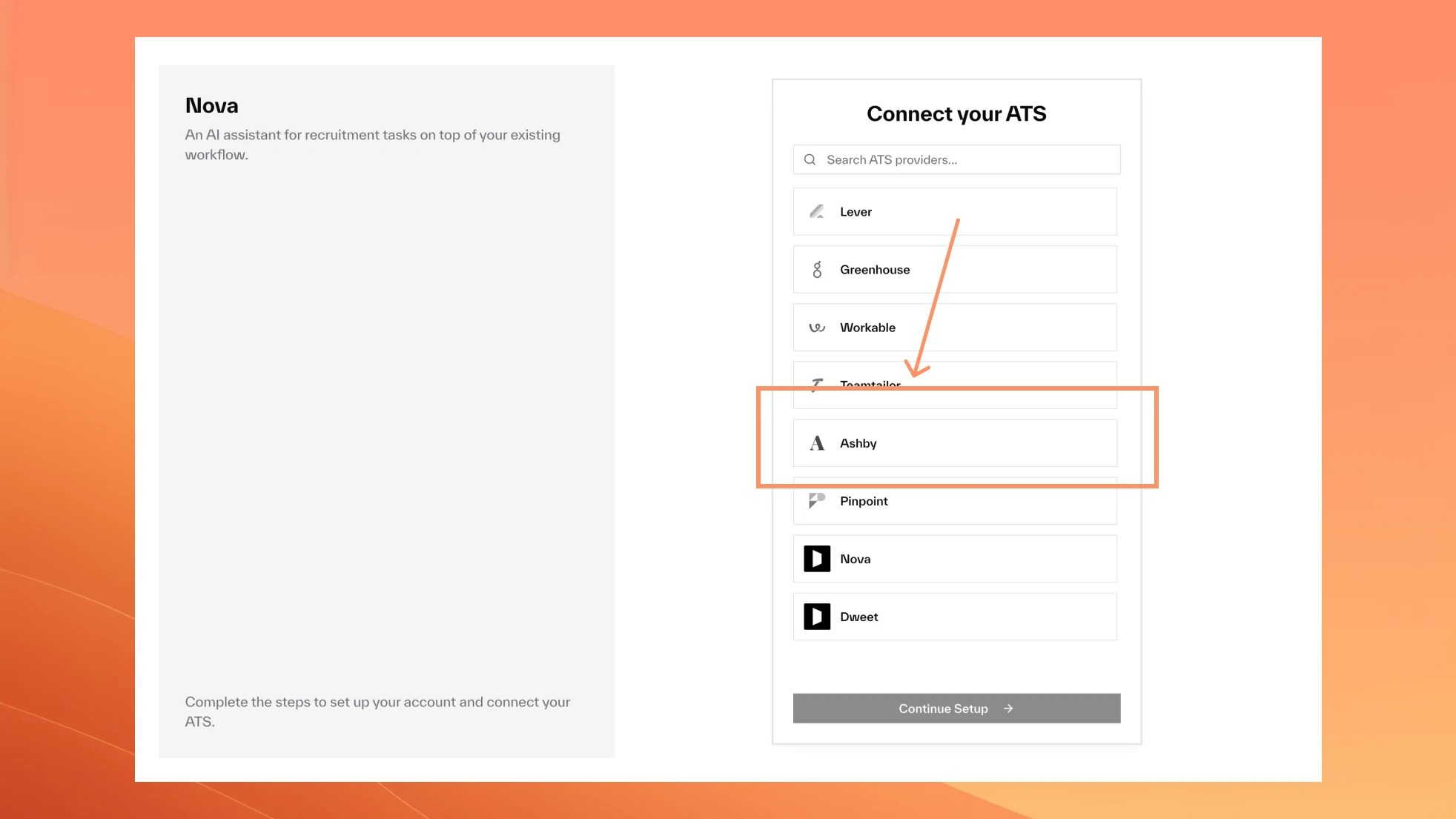
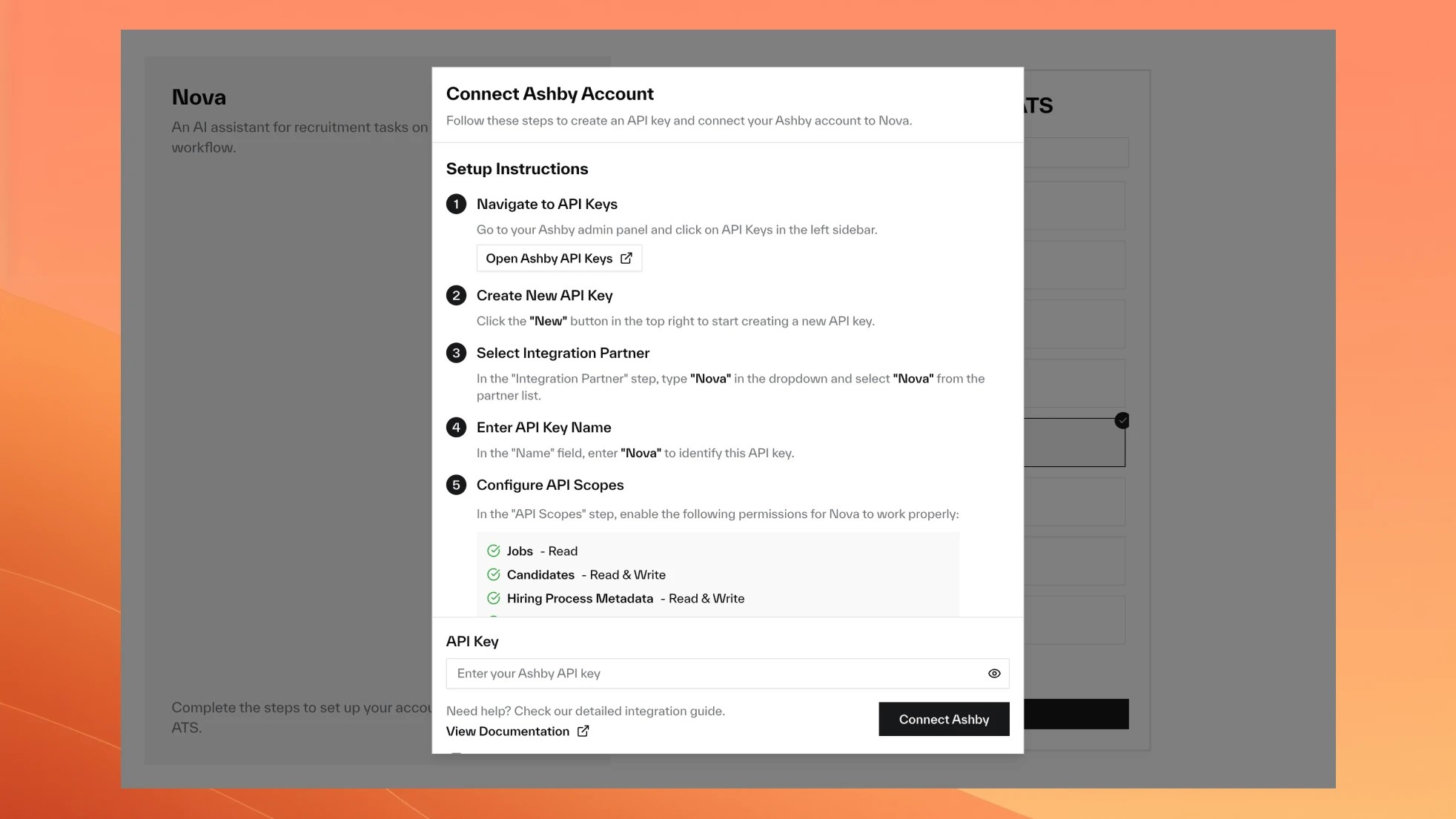
Set Up Your API Key
Navigate to API Keys
Go to Ashby API Keys.
Configure API scopes
Enable these permissions:
- Jobs: Read
- Candidates: Read, Write
- Hiring Process Metadata: Read, Write
- Organization: Read
- Interviews: Read
Nova Scores in Ashby
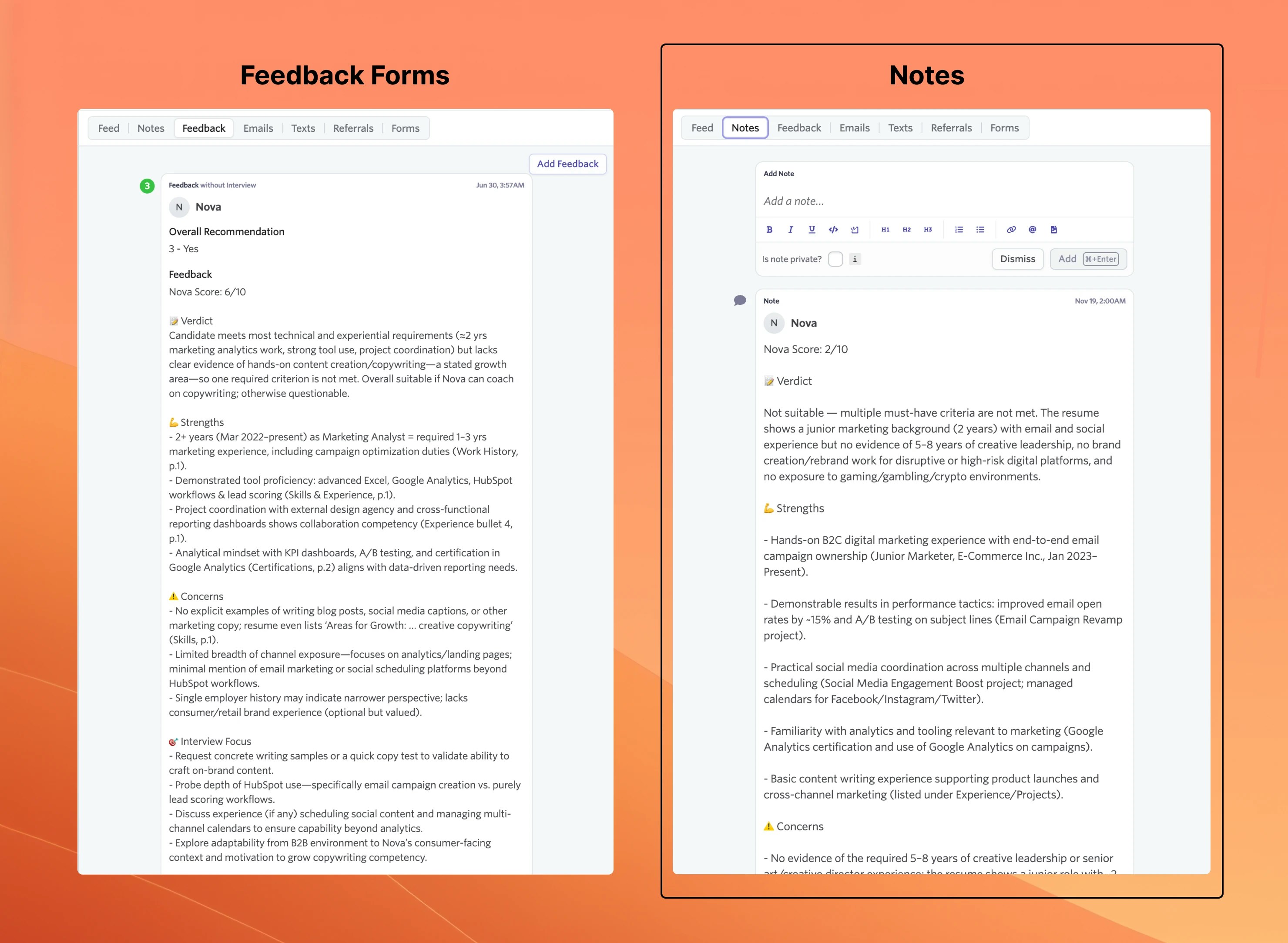
Nova adds a Nova Score custom field to each candidate for sorting and filtering. You choose where the detailed assessment appears.
Recording Method
- Tab Title
- Tab Title
The assessment appears as structured feedback with an Overall Recommendation field.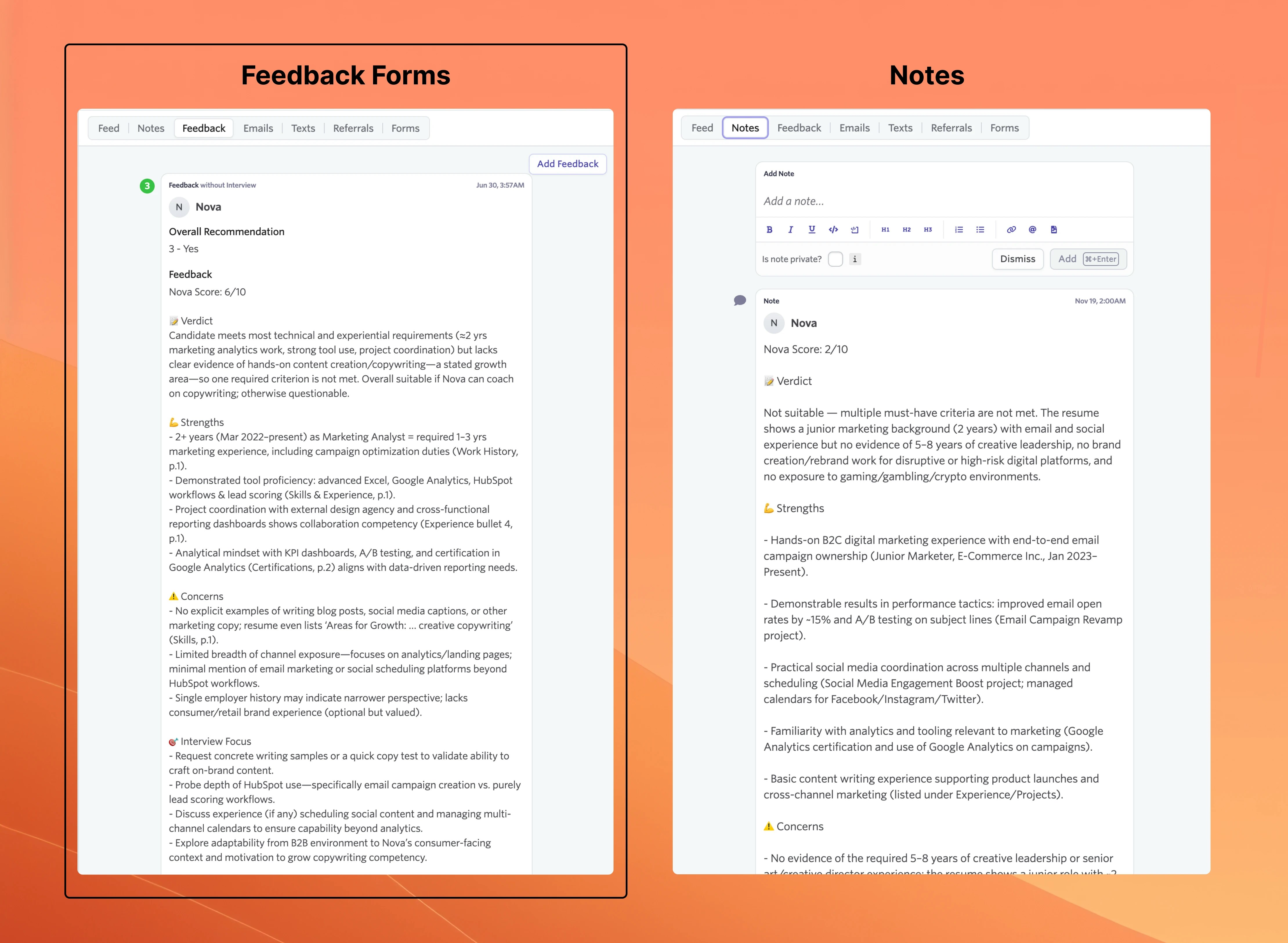
Feedback Form Setup
Only applies if you chose Feedback Forms as your recording method.
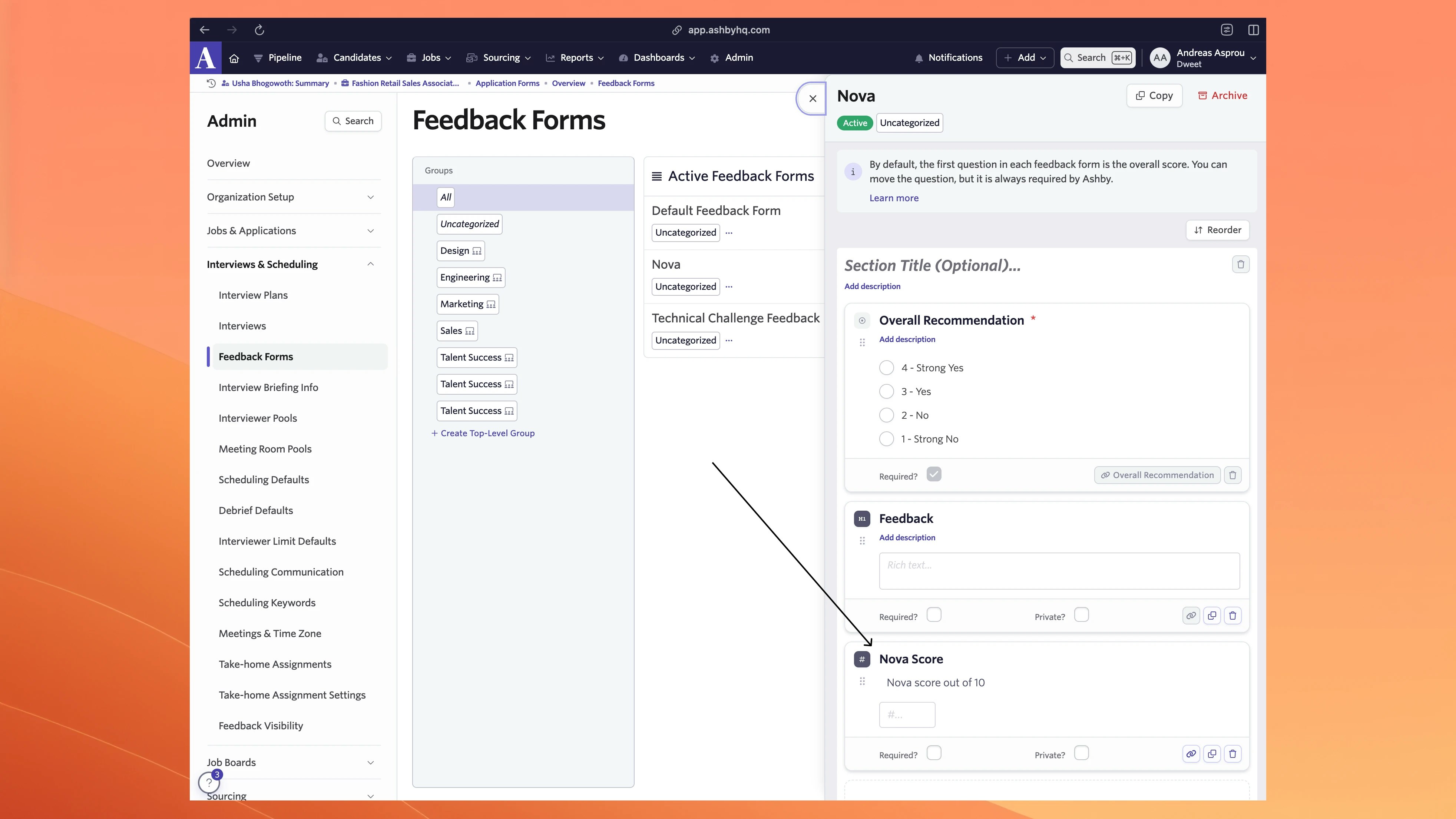
Create form in Ashby
Go to Ashby Feedback Forms and create a new form.
Form Structure Example
Score Mapping
| Nova Score | Ashby Recommendation |
|---|---|
| 1-3 | 1 - Strong No |
| 4-5 | 2 - No |
| 6-7 | 3 - Yes |
| 8-10 | 4 - Strong Yes |